Nanaimo home sellers · Photo and video preparation
How should I prepare my house for listing photography and video?
Clear surfaces and walkways, put away private items, and make each room’s use easy to see. Agree on access, lighting and a weather backup with the photographer. Before the listing goes live, review the photos and any video or floor plan for accuracy and privacy.
Sellers Also Asked
How do I prepare my home for real estate photographs and video? Clear the route through the home, set each room up for its actual use, and confirm which areas the photographer will capture.
What should I remove or check before the listing photographer arrives? Put away photos, medication, paperwork and valuables. Check mirrors and screens for private information that might still be visible.
Do I need to reschedule if it rains? Not always. Ask whether interiors can go ahead and agree on a backup time for weather-sensitive exterior shots.
Prepare each space for the shoot
Walk the route a camera will take. Clear entryways, wipe counters and mirrors, make beds and straighten cushions. Check that chairs, rugs and side tables don’t crowd doorways. If you’re making bigger changes to how a room is furnished, see what level of home staging makes sense. For repairs, cleaning and the overall schedule, see how to prepare your Nanaimo home for sale.
What I ask sellers to do before I arrive
Before I became a REALTOR®, I worked as a professional real estate photographer and shot photos and video for local agents. I still give sellers a checklist before photo day. I start with three things: take family photos off the fridge and put medications away, have the lights on when we start, and arrange furniture so rooms are easy to see. Small touches matter, like straightening the pillows on a bed or moving a chair that blocks the view into a room.
Photography and video are a specialty of mine. On REALTOR.ca, the lead image is often the first look a buyer gets at a home. I choose a clear, representative photo that makes it easy to see what the home offers and decide whether to take a closer look.
Plan the shots and check what buyers will see
| Area or asset | Before the shoot | Before approving |
|---|---|---|
| Exterior and entry | Clear paths, move vehicles and bins, and agree on light and weather backup. | Confirm the exterior image shows the correct home and does not imply unrelated features are included. |
| Main living spaces | Open walkways, arrange furniture and check lighting. | Check that the photo order and angles help buyers understand the actual rooms. |
| Bedrooms, baths and storage | Put away personal items; agree on which storage areas will be shown. | Check mirrors, screens and close-ups for private details. |
| Video or floor plan, if included | Agree on the route, rooms and any areas to skip. | Check room labels, captions, layout and any measurements for accuracy. |
Plan access and exterior shots
Confirm who will let the crew in and how long they need. Decide where pets and vehicles will go, which areas are included and who will handle any rescheduling. In Nanaimo, make the call for the actual property: rain, wind, puddles and glare affect different homes differently. If the photographer agrees, shoot inside first and return for exterior images when conditions suit them.
Protect personal information
Take down family photos and children’s names where visible, and put away mail, medication, bills, keys and valuables. Switch off screens and check mirrors for reflections. If the home is occupied by someone else, coordinate access and confirm what can be photographed with your agent before the shoot. Once the page is ready, use the showings and open house checklist to keep the in-person visit consistent with the pictures.
Review and approve the finished media
Look through the lead image, complete photo set and any agreed video or floor plan. Flag a private detail, an outdated room label or an edit that changes how the property looks. Check captions and narration against the real home. Confirm the final version before it is used.
Section 41 of B.C.’s Real Estate Services Rules prohibits false or misleading advertising. BCFSA’s artificial intelligence guideline recommends clearly labelling altered or enhanced marketing images or videos so they do not mislead buyers. Don’t hide defects, enlarge rooms digitally or add features that aren’t there. If an image is virtually staged, label it clearly and make the unstaged view easy to find.
Use the Listing Photography and Video Checklist
Use page one to get the home ready and coordinate the shoot. Use page two to check the finished images, privacy, labels and approvals before the media goes live.

Questions about preparing for listing photography and video
How should I prepare my house for listing photography and video?
Clear surfaces and walkways, put away private items, and make each room’s use easy to see. Agree on access, lighting and a weather backup with the photographer. Before the listing goes live, review the photos and any video or floor plan for accuracy and privacy.
How do I prepare my home for real estate photographs and video?
Finish the room-by-room reset before the photographer arrives. Check the route from the front door through the home, clear transitions between rooms, and agree on any spaces to skip.
What should I remove or check before the listing photographer arrives?
Put away family photos, medications, mail, documents, valuables and keys. Check mirrors, screens, fridge doors and surfaces for items that reveal private information.
Should I turn on every light for listing photography?
Test the lights and replace burned-out bulbs. I usually ask sellers to have the lights on at the start. The photographer can adjust individual fixtures and blinds for glare or colour.
How should I prepare my kitchen and bathrooms?
Clear counters and put away dishes, bins, toiletries and medications. Wipe mirrors and reflective surfaces, and put out clean towels if they help the room read clearly.
What can I do to make bedrooms and living rooms photograph clearly?
Make beds, straighten cushions and pull back furniture that blocks doors or walkways. Leave room around key pieces so each space is easy to understand.
How should I prepare the driveway and exterior?
Move vehicles out of the planned shot, tidy hoses, bins and tools, and clear steps and paths. Confirm which outdoor areas will be photographed and whether the light or weather calls for a backup.
What should I do with pets during the shoot?
Arrange a secure place away from the shooting route or have someone take them out. Move bowls, beds and litter trays where appropriate and tell the photographer about any spaces you need to keep closed.
What if it rains on photo day in Nanaimo?
Check the property’s actual conditions with the photographer. Decide whether to proceed, shoot interiors first and return for exterior photos, or move the session. Wet surfaces and poor visibility may affect the plan.
Should I review a listing floor plan or video before it goes live?
If either is part of the agreed package, check that room labels, connections and visible features reflect the property. Review video captions or narration for errors. Ask how measurements were obtained before relying on them.
Can listing photos be retouched or virtually staged?
Edits should not hide defects, change the apparent layout or invent features. BCFSA recommends clear labels for altered or enhanced marketing images or videos so buyers are not misled.
How do I approve the finished listing media?
Review the lead image, the full set and any agreed video or floor plan. Flag privacy issues, inaccurate descriptions or misleading edits. Confirm the approved version with your agent before it is used.
What clients say about working with Alvin
These reviews describe individual experiences working with Alvin. They do not predict the results of a particular photo shoot or sale.
“Alvin provided great service as we approached listing”
Gary Anderson
Seller
“they helped us sold my house just under 2 months with a very good prices.”
Nana lum
House seller
“Alvin is very professional, responsive and helpful.”
S —-
Client review
Get your home ready for photo day
Bring your checklist and flag any rooms, weather or privacy concerns. I can help you decide what to prepare and how the shoot fits into selling your Nanaimo home.
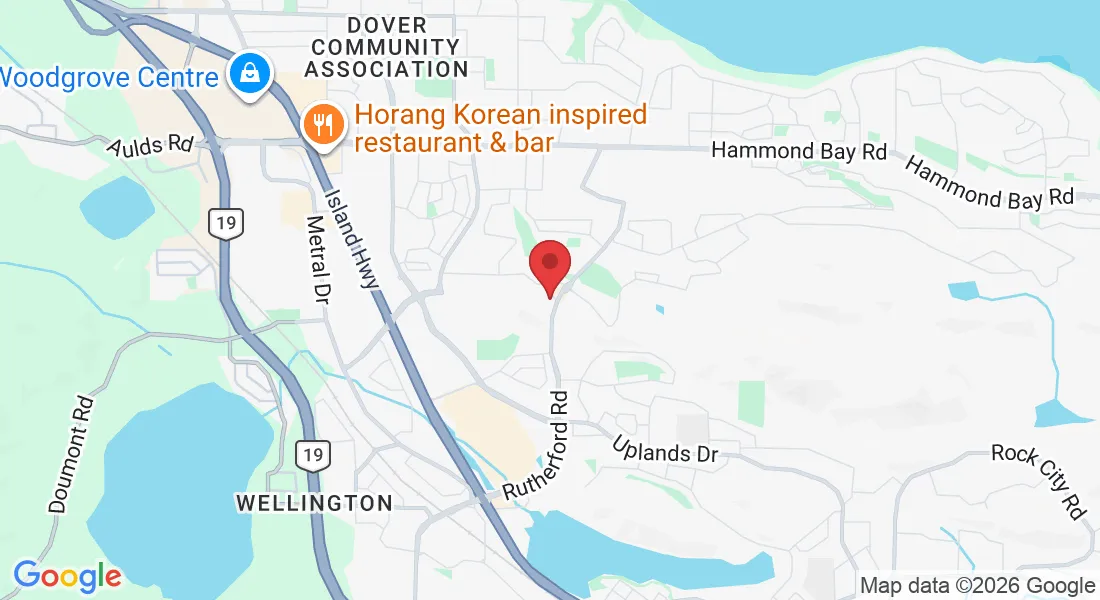
City of Nanaimo, British Columbia
The map shows the City of Nanaimo, not the surrounding Regional District.